 1 / 4
1 / 4Fräsbahnen erzeugen und die Maschine steuern – in einem Programm. Entwickelt von Christian Knüll.Create toolpaths and drive the machine – in one program. Developed by Christian Knüll.
Estlcam ist eine kombinierte CAM- und CNC-Steuerungssoftware für Windows, entwickelt von Christian Knüll. Sie erzeugt aus Zeichnungen und 3D-Modellen die Fräsbahnen (CAM) und steuert die Maschine anschließend direkt selbst (CNC-Steuerung) – beide Schritte der CNC-Fertigung in einem einzigen Programm. Bekannt ist Estlcam für eine besonders einsteigerfreundliche, grafische Bedienung bei professionellem Funktionsumfang und einem fairen Einmalpreis ohne Abo.
Estlcam is a combined CAM and CNC control software for Windows, developed by Christian Knüll. It turns drawings and 3D models into toolpaths (CAM) and then drives the machine directly itself (CNC control) – both steps of CNC manufacturing in a single program. Estlcam is known for an exceptionally beginner-friendly, graphical interface combined with a professional feature set and a fair one-time price without a subscription.
Damit deckt Estlcam die gesamte Kette von der Zeichnung bis zum fertigen Werkstück ab: Du importierst eine Kontur oder ein Modell, legst Werkzeuge und Bearbeitungen fest und überträgst die Bewegungen anschließend direkt an die Fräse – ohne Umweg über ein zweites Steuerprogramm. Besonders im Hobby- und semiprofessionellen Bereich hat sich die Software dadurch als günstige, vollständige Lösung etabliert.
Estlcam therefore covers the entire chain from drawing to finished part: you import a contour or model, define tools and operations, and then send the movements straight to the mill – without the detour of a second control program. Especially in the hobby and semi-professional field, this has made the software a low-cost, complete solution.
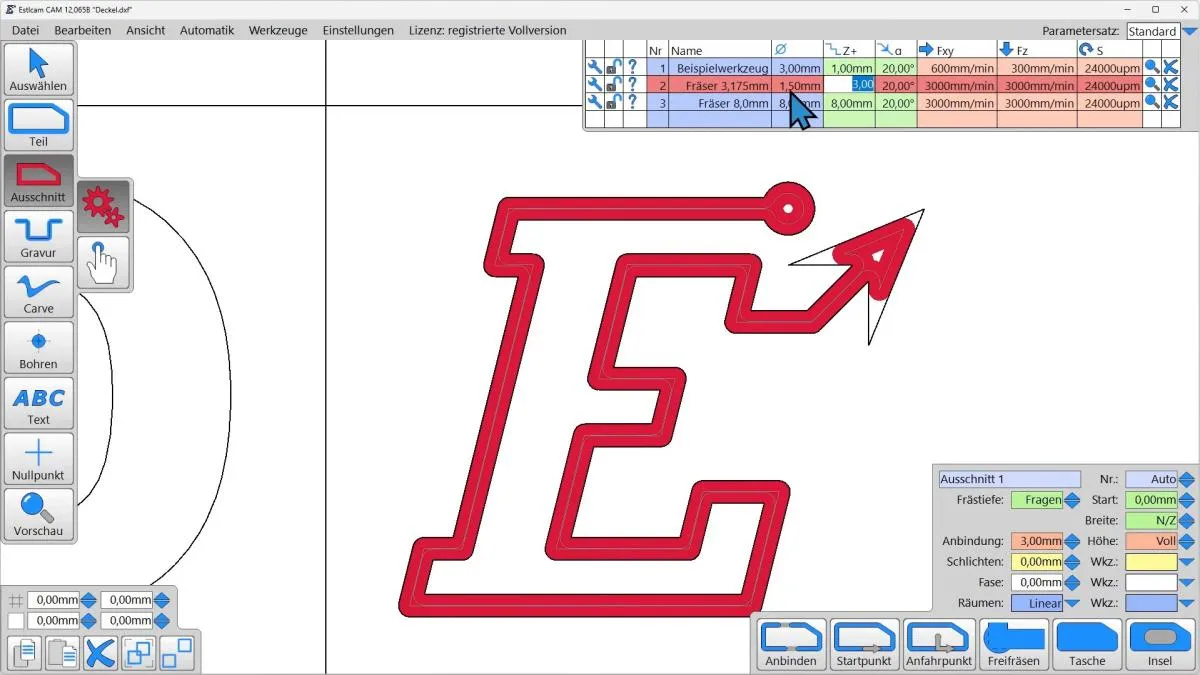
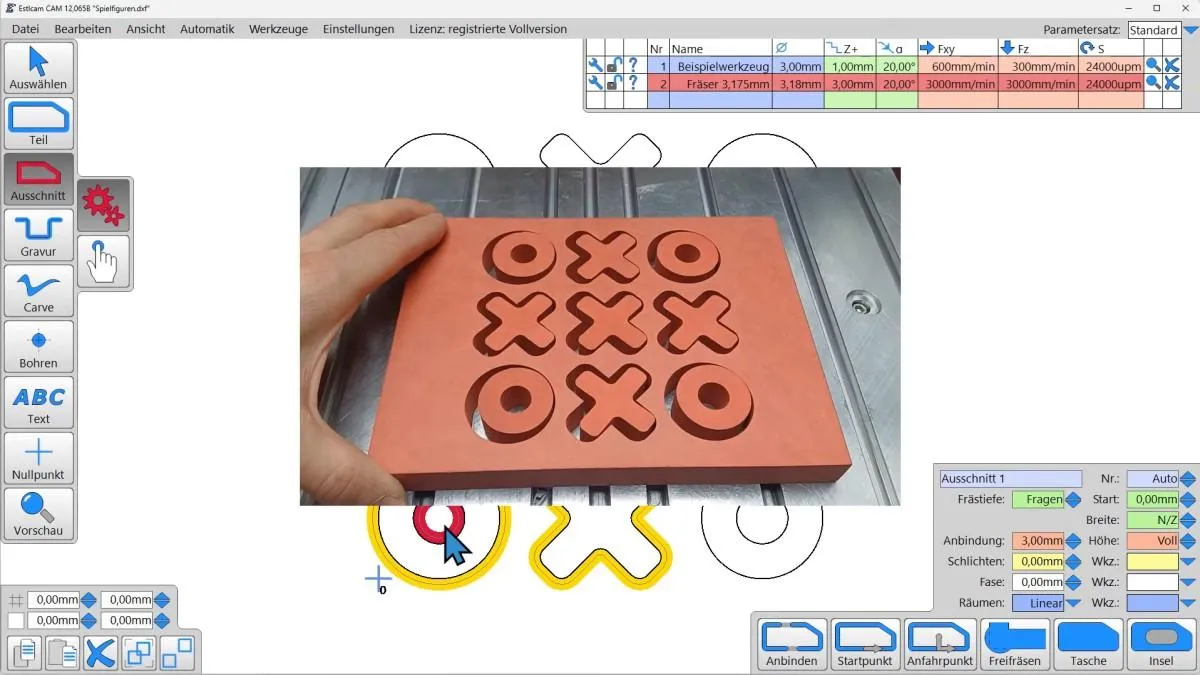
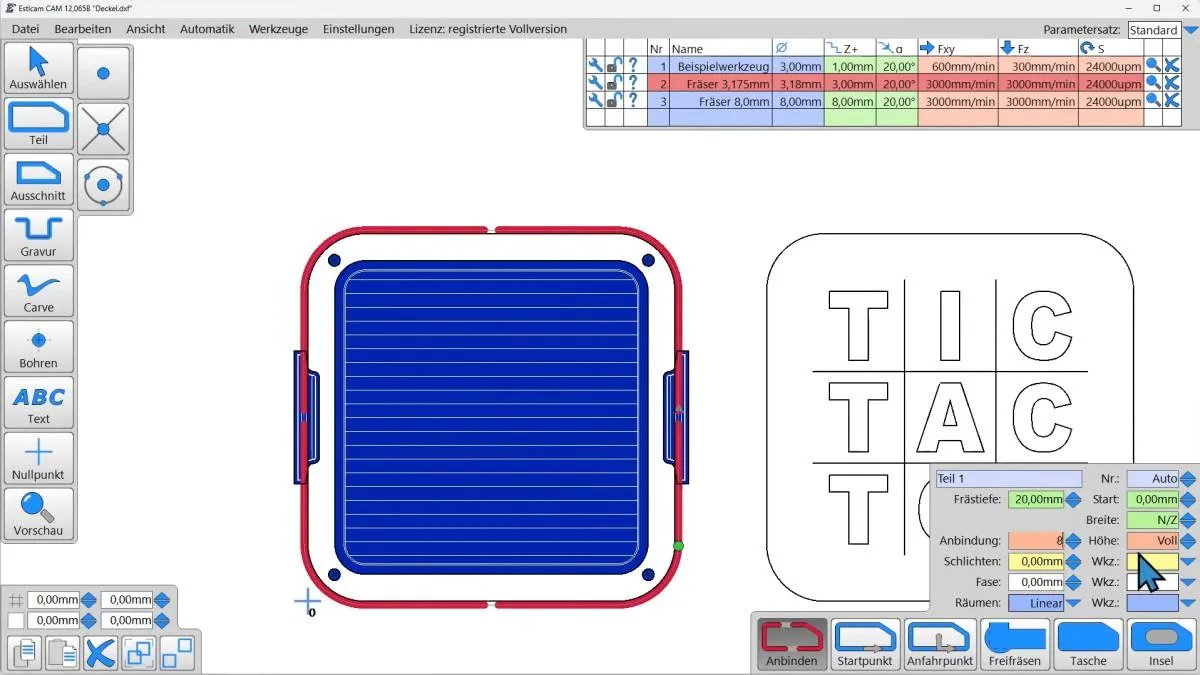
Aus technischen Zeichnungen im DXF- oder SVG-Format erzeugt Estlcam Konturen, Ausschnitte, Bohrungen, Taschen und Gravuren. Für jede Bahn legst du Frästiefe, Zustellung, Vorschub und Werkzeug fest – die Software berechnet daraus automatisch die werkzeugkorrigierten Fräsbahnen.
From technical drawings in DXF or SVG format Estlcam creates contours, cut-outs, holes, pockets and engravings. For each path you set cutting depth, stepdown, feed rate and tool – the software automatically computes the tool-compensated toolpaths.
Objekte werden automatisch oder manuell als zusammenhängende Konturen erkannt; gleichartige Teile lassen sich automatisch erkennen und über die Arbeitsfläche kacheln. Ein präziser Punktfang springt auf Schnittpunkte und Kreismittelpunkte und erleichtert das exakte Setzen von Bohrungen und Startpunkten.
Objects are detected automatically or manually as connected contours; identical parts can be recognised automatically and tiled across the work area. Precise point snapping jumps to intersections and circle centres, making it easy to place holes and start points exactly.
Mit V-Nut-Werkzeugen erzeugt Estlcam saubere Beschriftungen und plastische Reliefs (V-Carving). Über die Inlay-Funktion entstehen zwei exakt ineinandergreifende Teile aus hellem und dunklem Material – ideal für edle Schilder, Logos und Intarsien.
With V-bit tools Estlcam produces clean lettering and three-dimensional reliefs (V-carving). The inlay function creates two precisely interlocking parts from light and dark material – ideal for elegant signs, logos and inlays.
Texte und Beschriftungen lassen sich direkt platzieren, Kanten abrunden, profilieren oder anfasen. Auch Gewinde fräst Estlcam mit dem passenden Werkzeug – Funktionen, die über reines Konturfräsen deutlich hinausgehen.
Texts and lettering can be placed directly, edges rounded, profiled or chamfered. Estlcam also mills threads with the appropriate tool – functions that go well beyond plain contour milling.
Ein besonderes Highlight: Beim trochoidalen Fräsen bewegt sich das Werkzeug auf kreisenden, materialschonenden Bahnen statt im vollen Eingriff. Das senkt die Belastung von Werkzeug und Maschine drastisch und ermöglicht auch leistungsschwachen oder wenig steifen Hobbymaschinen sowie kleinen Fräsern tiefe, schnelle Schnitte – eine Strategie, die viele teure CAM-Programme so einfach nicht bieten.
A special highlight: in trochoidal milling the tool moves on circular, material-friendly paths instead of full engagement. This drastically reduces the load on tool and machine and lets even low-power or less rigid hobby machines and small cutters make deep, fast cuts – a strategy that many expensive CAM programs do not offer this easily.
Aus STL-Modellen berechnet Estlcam 3D-Fräsbahnen mit Parallel- und Waterline-Strategien (Höhenlinien). So entstehen Reliefs, geschwungene Oberflächen und plastische Modelle – vom Schruppen bis zum feinen Schlichten.
From STL models Estlcam computes 3D toolpaths using parallel and waterline strategies. This produces reliefs, curved surfaces and sculptural models – from roughing to fine finishing.
Auch aus Pixelbildern in den Formaten PNG, JPG und GIF lassen sich Fräsungen ableiten – etwa Logos, Grafiken oder QR-Codes, die graviert oder ausgefräst werden.
Millings can also be derived from pixel images in PNG, JPG and GIF format – for example logos, graphics or QR codes that are engraved or cut out.
Eine integrierte Werkzeugverwaltung mit Listen- und Detailansicht speichert Werkzeuge samt Schnittparametern. Einmal hinterlegt, lassen sich die passenden Parametersätze für jedes Material und Werkzeug schnell wieder anwenden.
An integrated tool management with list and detail view stores tools together with cutting parameters. Once saved, the right parameter sets for each material and tool can be reapplied quickly.
Für Schneidanwendungen unterstützt Estlcam Schleppmesser (Drag Knife) – etwa zum Schneiden von Folien, Papier oder dünnem Karton, inklusive korrekter Behandlung der Messer-Nachlaufgeometrie in Kurven.
For cutting applications Estlcam supports drag knives – for cutting film, paper or thin cardboard, including correct handling of the blade's trailing geometry in curves.
Estlcam steuert die Fräse über kostengünstige USB-Steuerungselektronik direkt an. Ein separates Steuerprogramm wie Mach3 oder Mach4 ist nicht erforderlich – CAM und Maschinensteuerung laufen in derselben Anwendung.
Estlcam drives the mill directly via inexpensive USB control electronics. A separate control program such as Mach3 or Mach4 is not required – CAM and machine control run in the same application.
Die Maschine lässt sich bequem per Maus und Tastatur, mit einem Gamepad oder über ein Handrad verfahren. Gerade beim Einrichten und Antasten ist das spürbar komfortabler als reine Tastatureingabe.
The machine can be jogged conveniently with mouse and keyboard, a gamepad or a handwheel. Especially during setup and probing this is noticeably more comfortable than keyboard input alone.
Zum Einrichten bietet Estlcam Werkstück-Antasten (Touch Off), einen Werkzeuglängensensor sowie einen Verdrehungs- und Schiefwinkelausgleich: Liegt das Werkstück leicht schräg auf dem Tisch, rechnet die Software die Verdrehung heraus, statt ein erneutes Ausrichten zu verlangen.
For setup Estlcam offers workpiece probing (touch off), a tool-length sensor and a rotation/skew compensation: if the workpiece sits slightly askew on the table, the software computes the offset instead of requiring you to realign it.
Automatischer Werkzeugwechsel und Kommandozeilen-Funktionen erlauben komplexere, mehrstufige Abläufe und die Einbindung eigener Befehle in den Bearbeitungsprozess.
Automatic tool change and command-line functions allow more complex, multi-stage sequences and the integration of custom commands into the machining process.
Neben den selbst erzeugten Bahnen kann Estlcam auch fremde CNC-Programme (G-Code) ausführen, sofern diese die Anforderungen der Steuerung erfüllen – praktisch, wenn G-Code aus anderen Quellen vorliegt.
Besides its own toolpaths, Estlcam can also run external CNC programs (G-code), provided they meet the control's requirements – handy when G-code from other sources is available.
Möbelteile, Verbindungen und dekorative Fronten entstehen aus DXF-Zeichnungen; Gravuren und Inlays setzen mit V-Carve edle Akzente in hellem und dunklem Holz.
Furniture parts, joints and decorative fronts are made from DXF drawings; engravings and inlays add elegant accents in light and dark wood using V-carve.
Beschriftungen, Logos und Skalen lassen sich per V-Gravur sauber und gut lesbar in Aluminium, Kunststoff oder Holz einbringen – ideal für Schilder, Typenschilder und Gerätefrontplatten.
Lettering, logos and scales can be V-engraved cleanly and legibly into aluminium, plastic or wood – ideal for signs, name plates and equipment front panels.
Mit trochoidalen Bahnen lassen sich Aluminium und Kunststoffe auch auf leichteren Maschinen prozesssicher bearbeiten, weil die Schnittkräfte niedrig und gleichmäßig bleiben.
With trochoidal paths, aluminium and plastics can be machined reliably even on lighter machines, because cutting forces stay low and constant.
Aus STL-Dateien gefräste Reliefs, geschwungene Oberflächen und Modelle entstehen mit Parallel- und Waterline-Strategien – vom groben Schruppen bis zum feinen Schlichtdurchgang.
Reliefs, curved surfaces and models milled from STL files are produced with parallel and waterline strategies – from coarse roughing to a fine finishing pass.
Mit einem Schleppmesser schneidet die Maschine Folien, Schablonen oder Verpackungen exakt entlang der Kontur – ganz ohne Spindel.
With a drag knife the machine cuts films, stencils or packaging exactly along the contour – entirely without a spindle.
Estlcam ist kein Abo: Die Lizenz wird einmalig erworben, hat kein Ablaufdatum und gilt dauerhaft. Zum Ausprobieren gibt es eine kostenlose, zeitlich unbegrenzt nutzbare Testversion, die bis auf kurze Pausen beim Öffnen und Speichern voll funktionsfähig ist.
Estlcam is not a subscription: the license is purchased once, has no expiry date and is valid permanently. To try it out there is a free trial version that can be used without time limit and is fully functional apart from short pauses when opening and saving.
Seit Version 13 sind alle Updates bis ein Jahr nach der ersten Eingabe des Lizenzschlüssels inklusive. Danach verlängert ein optionaler „Update Code" den Aktualisierungszeitraum um jeweils ein weiteres Jahr. Bereits genutzte Versionen bleiben in jedem Fall dauerhaft nutzbar – ein abgelaufener Updatezeitraum sperrt die Software nicht.
Since version 13, all updates up to one year after the license key is first entered are included. After that, an optional “update code" extends the update period by another year each time. Versions already in use remain permanently usable in any case – an expired update period does not lock the software.
Aktuelle Version zum Zeitpunkt der Erstellung dieser Seite: Estlcam 13.004.
Current version at the time this page was created: Estlcam 13.004.
Der CAM-Teil erzeugt aus deinen Zeichnungen und Modellen die Fräsbahnen und Bearbeitungsstrategien. Der CNC-Steuerungsteil sendet diese Bahnen anschließend als Bewegungsbefehle an die Maschine und führt sie aus. Estlcam vereint beide Schritte in einem Programm.
The CAM part turns your drawings and models into toolpaths and machining strategies. The CNC control part then sends these paths to the machine as motion commands and executes them. Estlcam combines both steps in one program.
Für 2D/2.5D vor allem DXF und SVG, für die 3D-Bearbeitung STL. Zusätzlich lassen sich Pixelbilder in den Formaten PNG, JPG und GIF für Grafik- und QR-Code-Fräsungen verwenden.
For 2D/2.5D mainly DXF and SVG, for 3D machining STL. In addition, pixel images in PNG, JPG and GIF format can be used for graphic and QR-code milling.
Nein. Die Lizenz wird einmalig gekauft und hat kein Ablaufdatum – sie gilt dauerhaft. Lediglich der Zeitraum für kostenlose Updates ist befristet und lässt sich bei Bedarf mit einem Update-Code verlängern.
No. The license is bought once and has no expiry date – it is valid permanently. Only the period for free updates is limited and can be extended with an update code if needed.
Estlcam ist eine reine Windows-Anwendung und läuft unter Windows 10/11. Eine native Mac- oder Linux-Version gibt es nicht; ein Einsatz dort ist nur über Windows-Virtualisierung oder Kompatibilitätsschichten denkbar und wird nicht offiziell unterstützt.
Estlcam is a Windows-only application and runs on Windows 10/11. There is no native Mac or Linux version; using it there is only conceivable via Windows virtualisation or compatibility layers and is not officially supported.
Beim trochoidalen Fräsen fährt das Werkzeug auf kreisenden Bahnen mit geringer, gleichmäßiger Eingriffsbreite. Das hält die Schnittkräfte niedrig, schont Werkzeug und Maschine und erlaubt gerade auf wenig steifen Hobbymaschinen tiefere und schnellere Schnitte als konventionelles Vollnutfräsen.
In trochoidal milling the tool moves on circular paths with a small, constant engagement width. This keeps cutting forces low, protects tool and machine, and allows deeper, faster cuts than conventional full-slot milling – especially on less rigid hobby machines.
Für die direkte Maschinensteuerung wird eine von Estlcam unterstützte USB-Steuerungselektronik benötigt. Rocketronics bietet dafür die passenden Estlcam Klemmenadapter (Light, M, Classic, XL) sowie einen LPT-Adapter zur Nachrüstung älterer Maschinen.
For direct machine control you need USB control electronics supported by Estlcam. Rocketronics provides the matching Estlcam terminal adapters (Light, M, Classic, XL) as well as an LPT adapter for retrofitting older machines.
Lizenz sichern und die passende Steuerungselektronik dazu wählen – beides direkt im Shop.Get the license and choose the matching control electronics – both directly in the shop.